

TCM-4
Lowell Instruments 浅水倾斜式海流计
测量浅水环境中的水流速度。
Important Information
需要 Domino for Windows® 软件(免费下载)以及兼容的计算机。
Overview
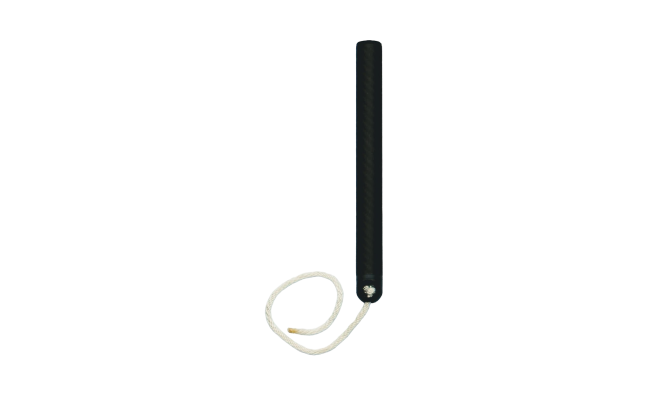
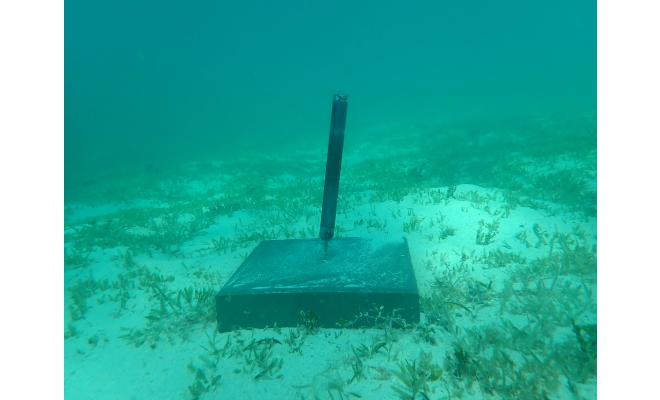
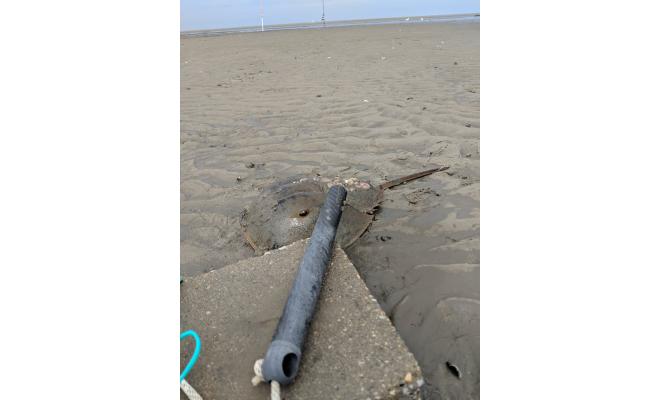
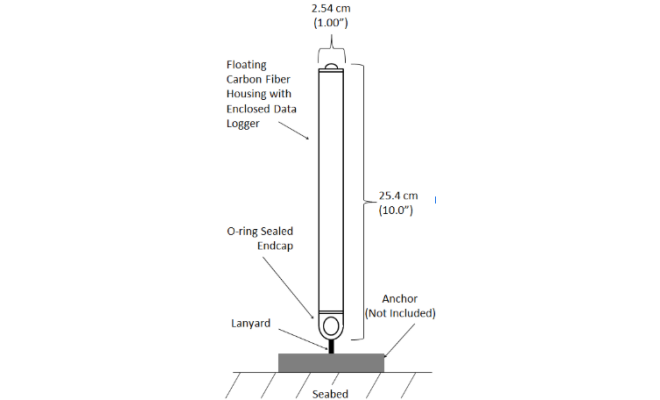
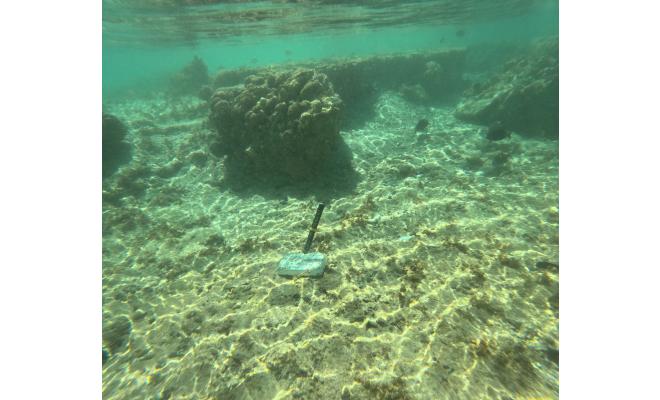
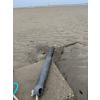
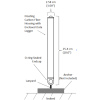
TCM-4浅水倾斜式流速仪非常适合在沿海浅池塘、海湾、河流和潮滩以及其他对于TCM-1流速仪而言水深过浅的位置测量水流速度。该仪器仅10英寸(25厘米)长,可在不足1英尺深的水中运行,其电子元件封装在碳纤维外壳中,无外部传感器和浮子。
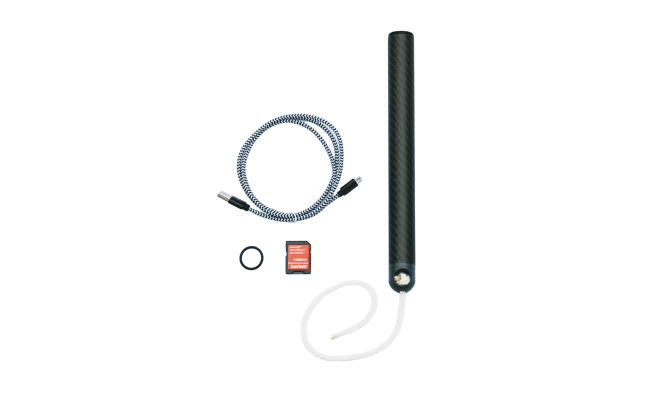
其价格仅为声学仪器的一小部分,这款数据记录仪设置和部署简单。其较低的总成本使您能够灵活地在多个位置同时部署多台流速仪,从而提高空间数据密度并降低不确定性。数据通过USB micro-B端口和电缆传输到您的笔记本电脑。
倾斜式流速仪的工作原理是什么?
TCM-4倾斜式流速仪采用拖曳倾斜原理测量水流。数据记录仪具有浮力,通过短而灵活的系绳固定在水底。流动的水使数据记录仪朝水流方向倾斜。TCM-4通过三轴加速度计和三轴磁力计测量倾斜度和方位角,将所得的方向数据应用校准系数转换为水流速度。
Features
- 30 meter depth rating
- Measures water velocity for a fraction of the cost of an acoustic meter
- Operates in as little as 28 cm (11 inches) of water
- Tilt compensated compass for bearing measurements
- Simple, rugged, low maintenance design
- User replaceable lithium battery
- Battery life is more than a year with 1-minute logging
- 8 GB memory card virtually eliminates memory concerns
- Temperature sensor accurate to +/-0.1C
- USB 2.0 with standard cable and drag and drop data file offload
Specifications
Speed (Recommended Range)
-
0-50 cm/s
-
3 cm/s + 3% of reading
-
0.1 cm/s
Speed (Maximum Range)
-
0-75 cm/s
-
Not Specified
-
0.1 cm/s
Direction
-
0-360°
-
5° (for speed >5 cm/s)
-
0.1°
Temperature
-
Accuracy: 0.1 °CResolution: <0.005 °C
-
Accuracy: 0.2 °CResolution: <0.01 °C
Electronics
-
8 GB microSDHC flash card (standard)
-
Full speed USB micro-B port
-
Months to years depending on recording rates
-
< 1 minute of error per month
Operating Modes
-
Start and Stop at user defined times
-
Variable rate logging at user defined interval
-
Current: 64 Hz to 1 sample per hour with typical settings of one 20 second burst @ 8 Hz per minute (12-month battery life)Temperature: 1 Hz to 1 sample per hour
Mechanical
-
30 m (100 ft)
-
Diameter: 2.54 cm (1.00 in)Length: 25.4com (10.0 in)
-
98 g (3.5 oz)
-
Housing: Carbon Fiber and Epoxy Laminate with PVC & PETG fittings, 316 Stainless Steel Screw and Buna and EPDM O-rings.
Software
-
Domino for Windows® - Free Download
-
USB 2.0 compliant MSC and CDC Classes
-
Field upgradable via USB cable
FAQs
Once the logger is started and running you can run a demo deployment. Disconnect the USB cable, replace the cap on the TCM and deploy it. For a simple demo, simply roll the logger across a flat surface or swing it with your arm.
The meters come with everything you require but if you are planning ahead we suggest a battery replacement tool kit for your specific meter model and additional batteries for the number of meters you are purchasing.
The logger is battery limited not memory limited. It is essentially impossible to collect more than 3GB of data on one battery charge. Unless you charge batteries and don't delete your data, you will never "fill" the card. We are currently shipping meters with 8GB cards (Sandisk Class 4). Our cards arrive pre-formatted FAT32, but if you need to reformat the cards we use the SD association formatter FAT32.
The batteries in our meters are not rechargeable, but they are replaceable. Most of our meters use a custom lithium battery and they are available from Lowell Instruments at Accessories. We recommend purchasing the battery replacement tool kit to make the process easier (the kit includes the first battery).
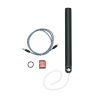
You need a TCM-4 Battery Replacement Tool Kit. The tool kit contains a special tool that allows you to easily open the logger with minimal risk of damaging the electronics. The kit also includes the hex driver and one replacement battery (to get you started). If you need to replace more than one battery, get one tool kit for the first logger and additional replacement batteries for the second, third... loggers. Due to the fact that the circuit board must be removed from the logger, it is recommended that the battery be replaced in the lab/office (not in the field). TCM-4 battery replacement instructions are here. See Accessories for additional information.
The batteries in the MAT-1/TCM-X are lithium thionyl chloride batteries. This chemistry of battery has excellent capacity and a long shelf life, but there is a catch. While in storage, they develop an internal resistance called passivation. In some cases the passivation can be severe enough to brown-out the logger if installed and then immediately deployed. The passivation can be broken down by running the battery. To check, do a test run for a few minutes/hours (depending on the logging settings) and check for errors (red LED and status in Domino software). If there are errors, repeat the test until you are all set.
It can be difficult to determine the amount of capacity remaining in partially used battery. The voltage should be ~3.65-3.75 volts, but that range is valid for the first 85-90% of capacity. (The voltage only declines in the last 10-15% of battery life.) So the voltage is only and indicator to the end of life, similar to the low-fuel indicator in your car. A better indication is how much data has been collected with the meters and for how long. A new battery can collect from 1-2.5GB of data. But an allowance must also be made for time that the battery was installed but not in use. Unless you know the batteries have been replaced and when, it is a good idea to replace them.
To configure the TCM, make sure that both the “Accelerometer” and “Magnetometer” sensors are enabled.
This is a typical setting for Coastal Bay areas.